

Miscellaneous - SEED
Progress Bubble Widget
Alongside my larger feature work, I was asked to find a clearer way to communicate the progress of machines producing items.
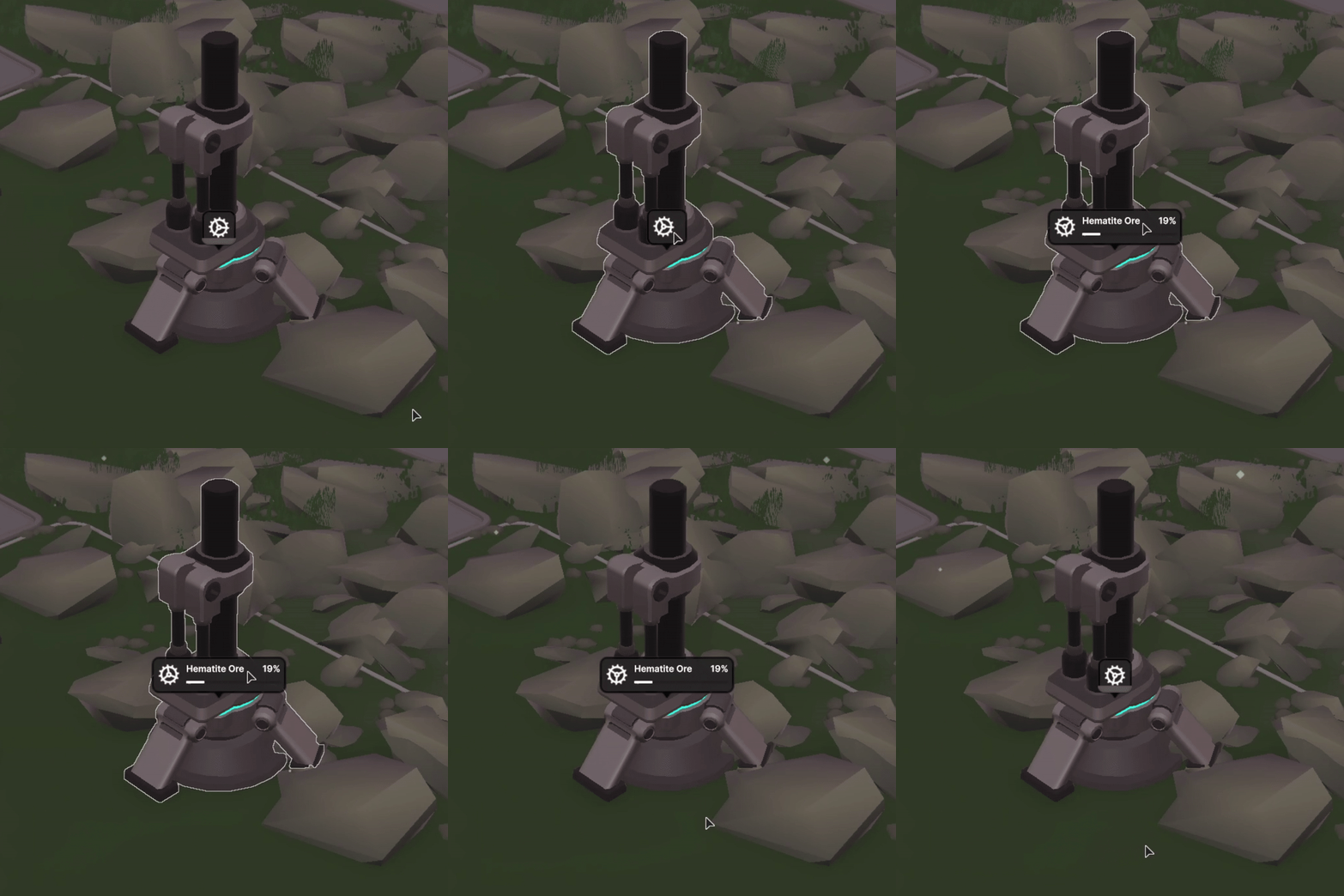
SEED did not yet have an in-world UI element for this information, so I explored a compact thought-bubble treatment built from the shared design system. To make its active state feel immediate, I proposed animated status icons, such as a continuously rotating gear for a running machine.
The pattern was later adopted across the project by other designers and programmers for more critical states that required player attention.
Goals & Objectives
Inform
Previously, players could only infer that a machine was running from its model, lights, or animation. Detailed progress lived in a separate screen. This compact widget surfaces progress in the world without forcing players to open another panel.
Diegetic
The collapsed state uses a single activity icon so it does not overwhelm the world with text and color. Hovering expands the bubble to reveal the activity name, progress bar, and percentage when more detail is useful.
Modular
Other teams quickly saw uses for the pattern, so I kept its structure flexible. Designers and programmers adapted it for building progress, paused construction caused by missing resources, crop growth, and other contextual states.
Seedling Card Tabs
As SEED grew, more character-focused systems were added: status effects, machine-learning-supported thoughts, a backpack, and existing needs such as hunger and thirst.
Displaying every system at once would have overwhelmed the screen. We introduced tabs that let players switch between dense information panels and keep only the currently relevant view open.