


Gameboy Advance+ User Interface
About
I have always loved classic handheld gaming. As a kid, I spent countless hours playing Pokémon, Donkey Kong, and Mario on my Game Boy Advance.
After years of playing modern games, I found myself missing that older experience and bought a handheld emulator that brought retro games into a more modern device.
Playing classic Game Boy Advance titles on it made me wonder what Nintendo might create if it revisited the system today. That idea became the Game Boy Advance+.
Final Result

Goals & Objectives
A Classic, Reimagined
The original Game Boy, Game Boy Color, and Game Boy Advance are unmistakable pieces of gaming history. I imagined the Game Boy Advance+ as the next step in that same evolution, retaining their familiar character while updating the experience for today.
Modern Usability
Modern gaming has changed how players access and manage their libraries. I wanted to preserve the simplicity of inserting a cartridge and playing immediately, while adding current conveniences such as installed games, an on-device store, and a unified digital library.
Research
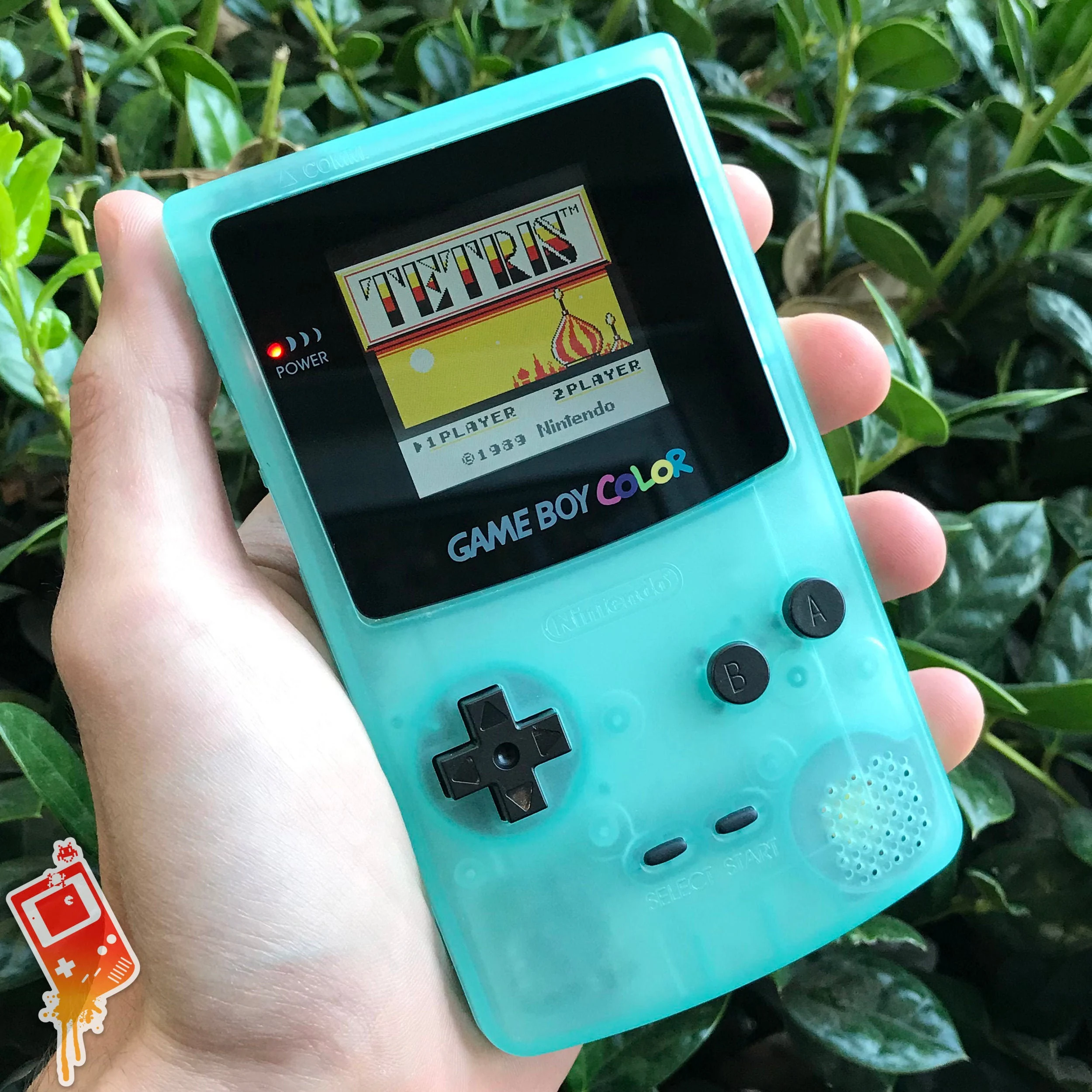
My main reference was clear: the classic vertical Game Boy, with its iconic screen-at-the-top and controls-at-the-bottom layout.
For the device itself, I used the Analogue Pocket as a starting point. Its sleek construction and high-quality materials felt like the right foundation for a modern handheld. I edited the product image to remove the original branding, then added my own Game Boy Advance+ identity.

Inspiration
The Nintendo Switch interface was my main inspiration for how a modern handheld could still feel familiar, playful, and easy to use.
Its clear structure, simple navigation, and polished interface elements provided a strong reference for the direction of the Game Boy Advance+.

Home Screen

The Game Library is one of the most important screens on the Game Boy Advance+, giving players quick access to every game installed on the device.
I kept it as a clear, straightforward list so any title can be launched with a single button press.
Game Library

The Game Library is one of the most important screens on the Game Boy Advance+, giving players quick access to every game installed on the device.
I kept it as a clear, straightforward list so any title can be launched with a single button press.
eStore
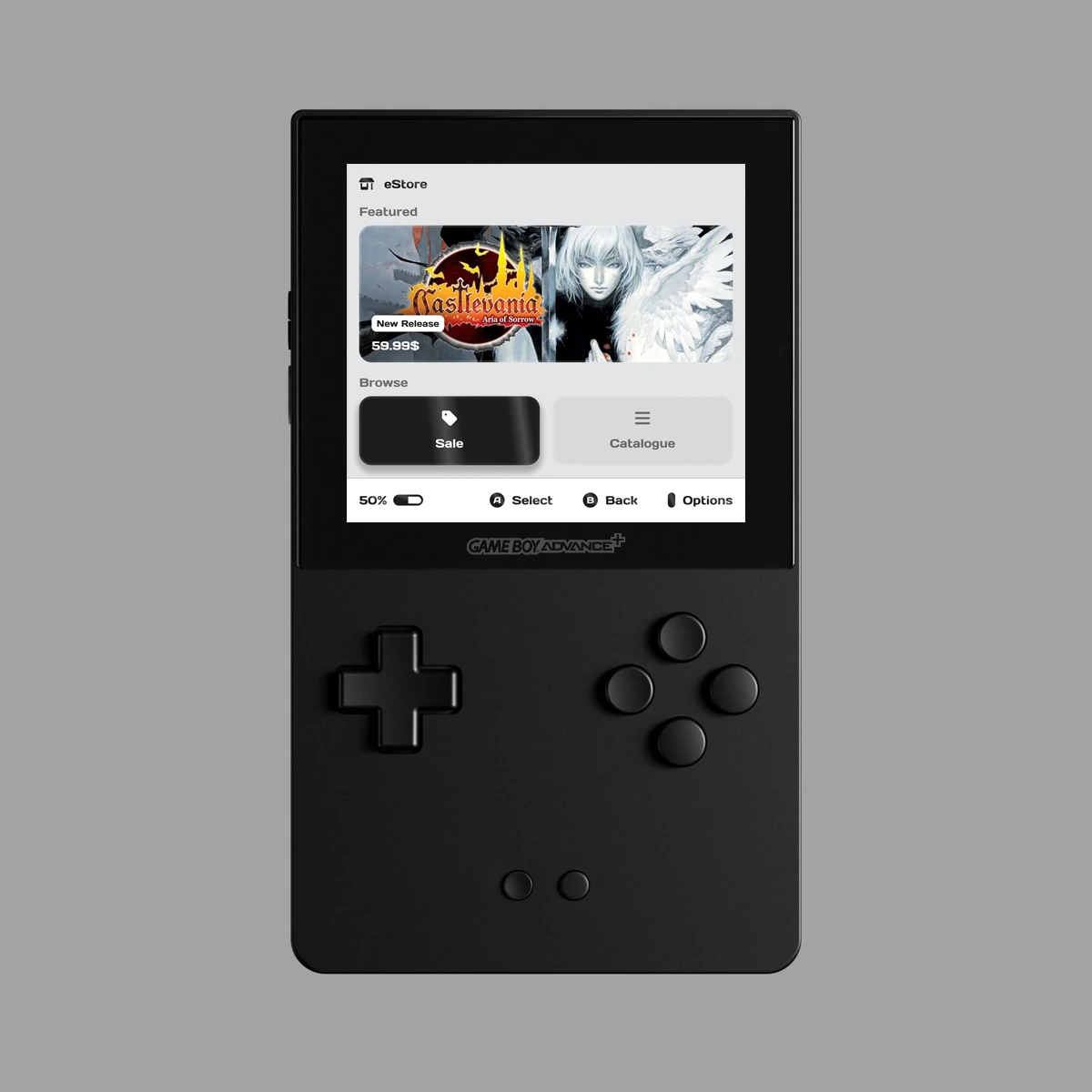
The eStore brings digital game purchases to this kind of handheld for the first time.
Because the display is relatively small, I avoided dense navigation and tiny interface elements. The landing page instead uses one large image to feature a new release, a major discount, or another promoted game.
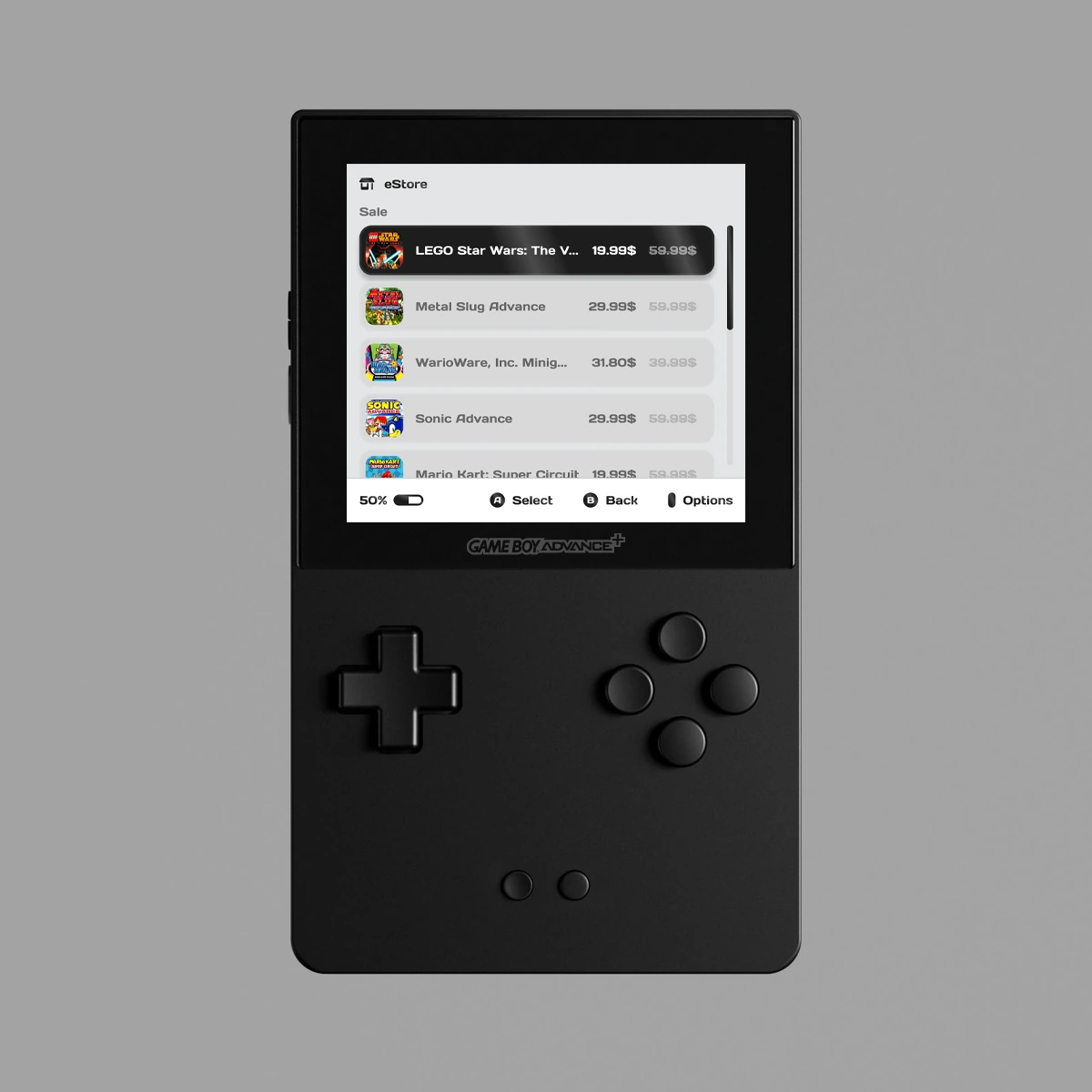
Below it are two clear destinations: Sale for discounted games and Catalogue for browsing every available title.
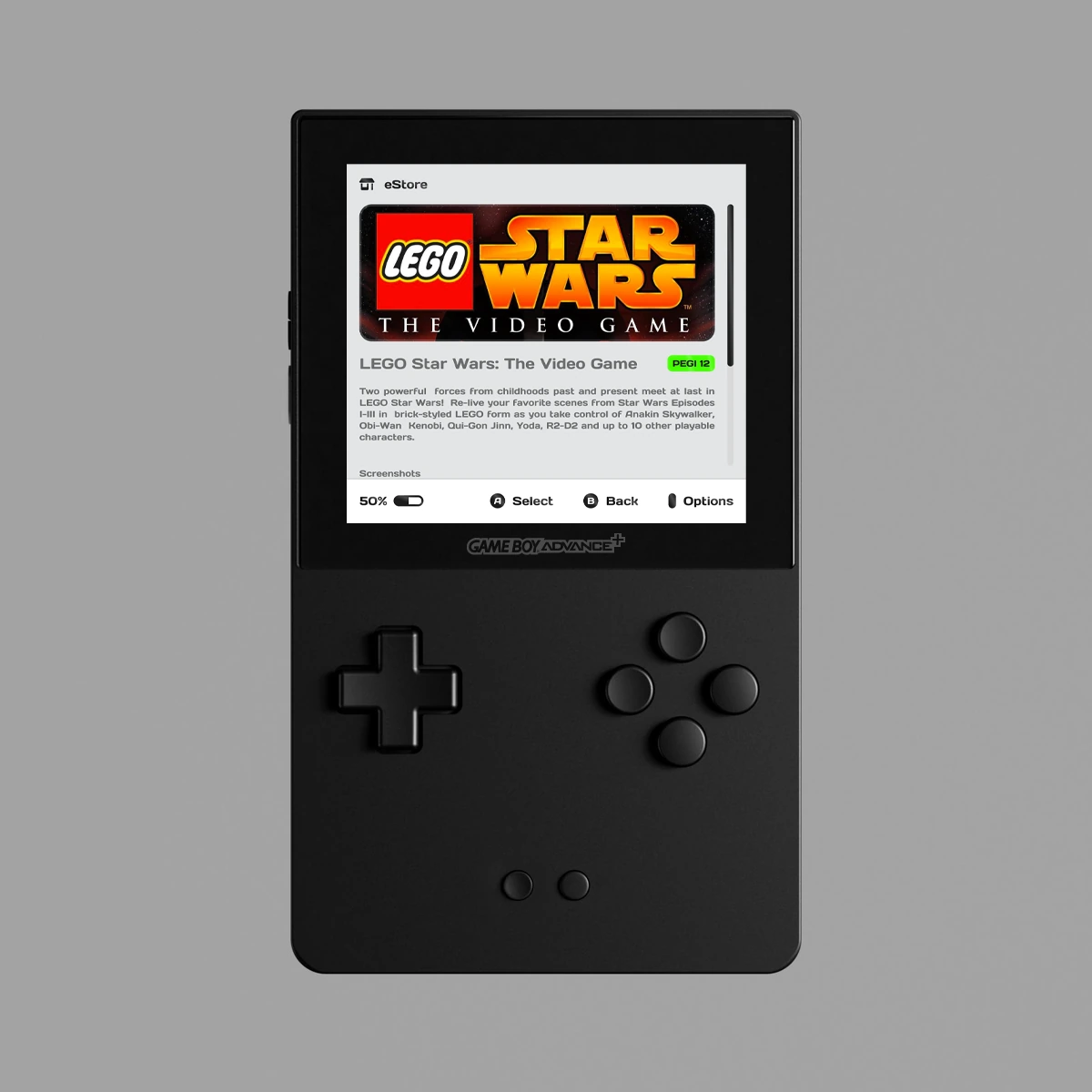
Selecting a game opens a concise overview with a short description, a small set of screenshots, and its age rating. The player can then purchase the title directly from that page.
Video Demonstration
Static mockups can only communicate so much, especially for an interactive device like the Game Boy Advance+.
I used the project as an opportunity to improve my After Effects skills and created several short interaction studies. They demonstrate inserting a cartridge and starting a game, browsing the Game Library, and connecting the charger.
The charging animation also hints at a broader notification system that could be used throughout the device.
Conclusion
This exploration was an absolute joy to work on.
Revisiting classic references brought back a wave of nostalgia and gave me the chance to combine some of my favorite childhood gaming memories with a fresh idea for a new device: the Game Boy Advance+.