Discord for Business - Concept
About
After using workplace tools such as Microsoft Teams, Slack, Zoom, Google Hangouts, and Jira, I noticed that many of them felt clunky or overly corporate.
That inspired a simple but ambitious idea: combine Discord, the chat platform I already loved, with the communication and management capabilities businesses need.
The resulting concept became quite extensive because I wanted to include many of the features I regularly relied on across other platforms.
Final Result


Goals & Objectives
Official
I set myself an ambitious goal: make the exploration feel like something Discord could genuinely ship. That meant respecting its design language, reusing familiar components wherever possible, and introducing new ideas without losing the product’s identity.
Familiar, yet new
Discord is immediately distinguishable from other communication tools. I combined useful patterns from business products, including Microsoft Teams’ calendar and Jira’s Kanban board, with Discord’s distinctive visual style.
Research
One of my first steps was rebuilding Discord’s official chat screen in Figma.
Although recreating it accurately took time, the exercise was invaluable for understanding Discord’s design system, icon sizing, spacing, and component behavior.
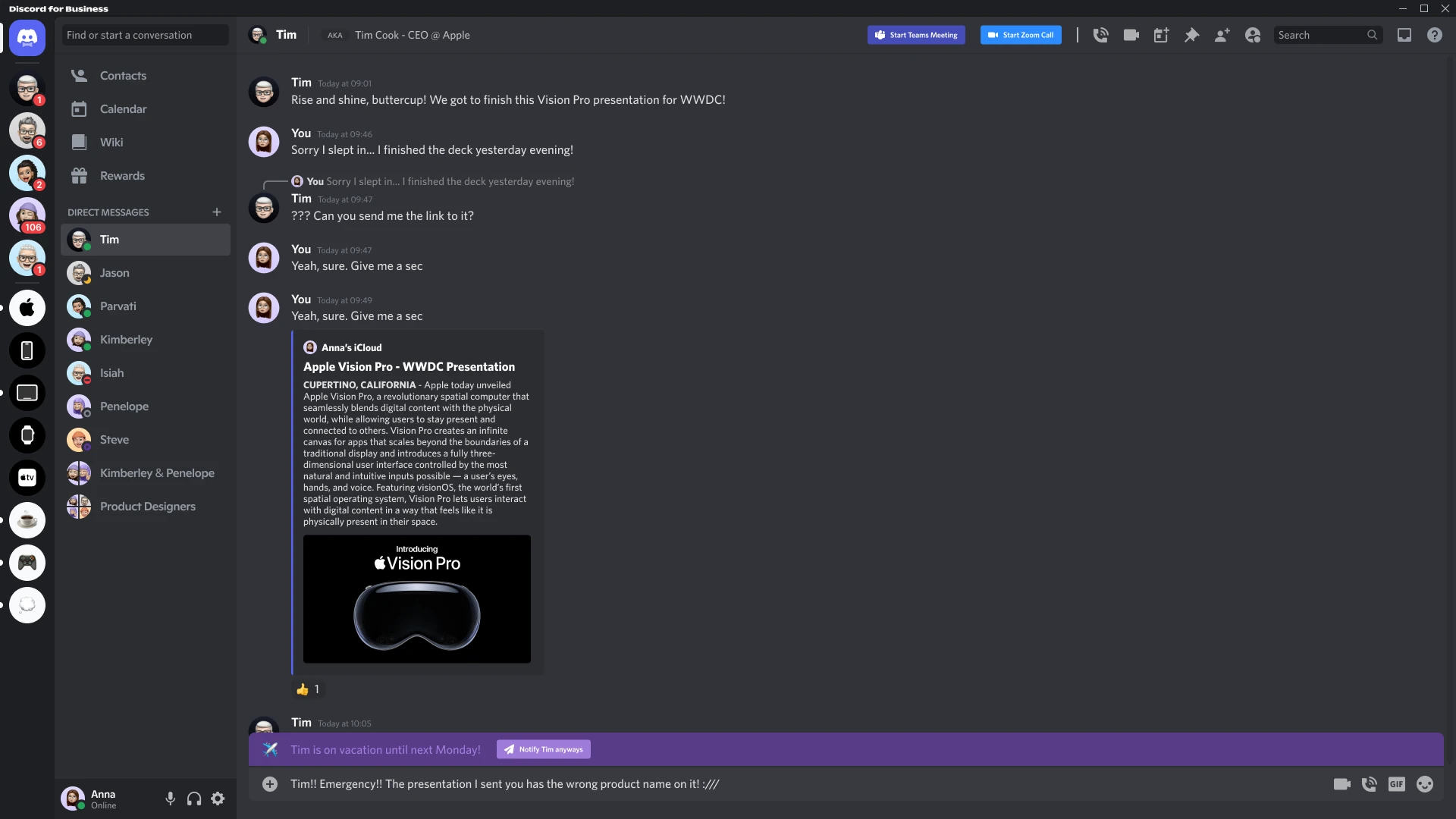
This was the first screen to emerge from that work: a fictional Discord Business workspace for Apple, complete with custom users and “Groups,” the business equivalent of servers, plus additional Microsoft Teams and Zoom integration controls.
Out-of-Office Feature
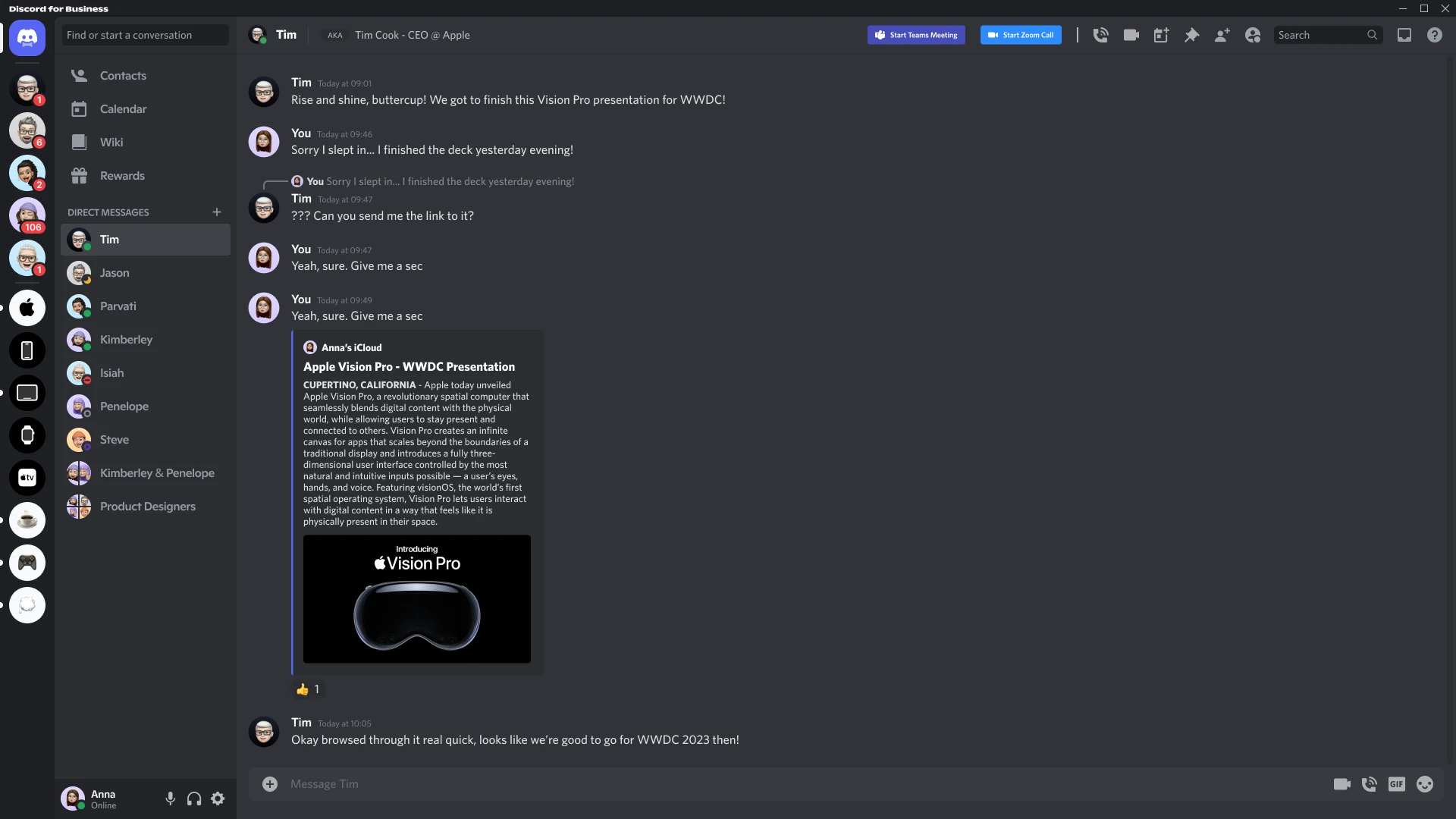
The first addition is small but genuinely useful: an out-of-office status that lets people know when someone is on vacation and may not be reachable as they open the conversation.
Calls & Meetings


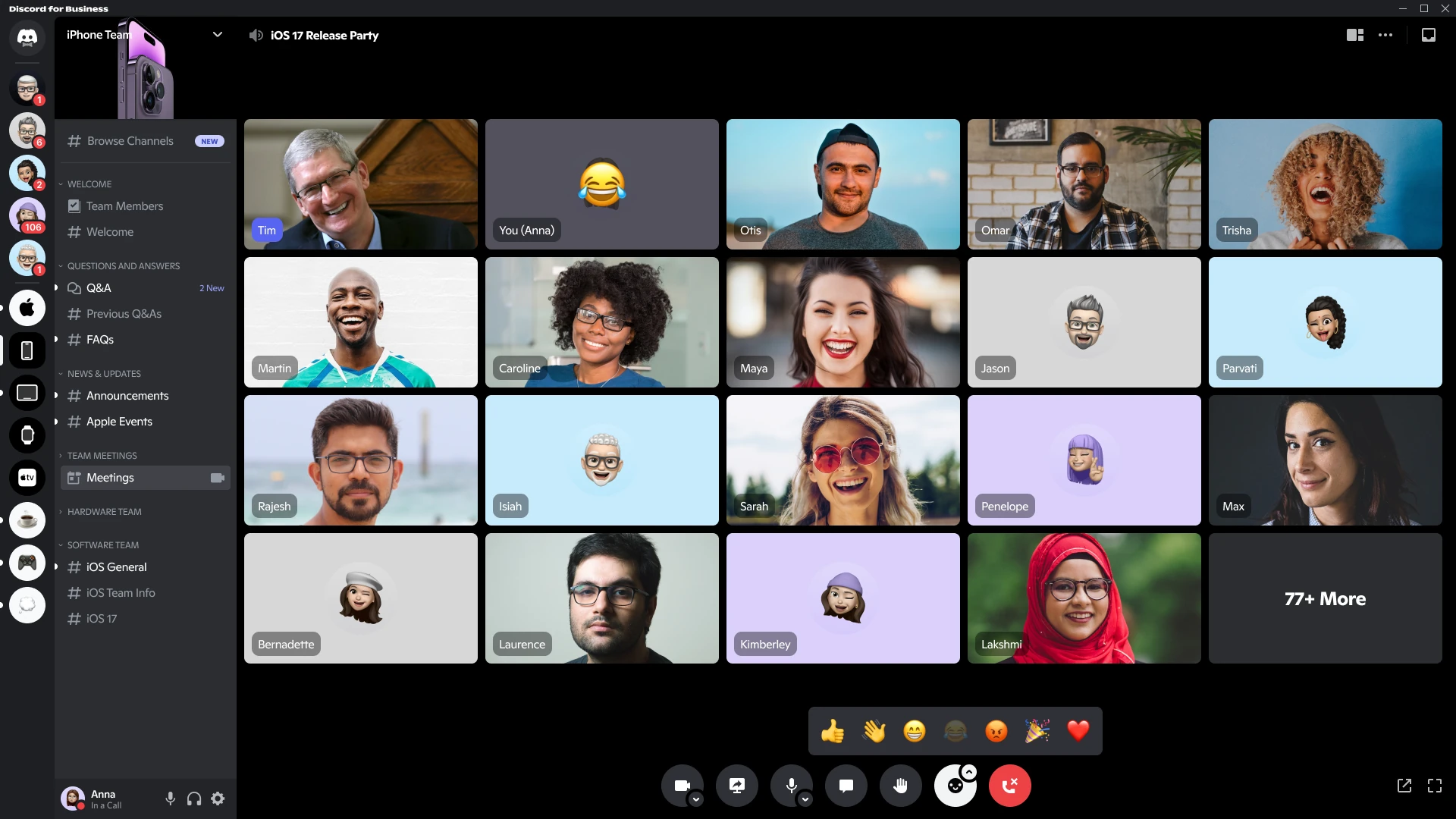

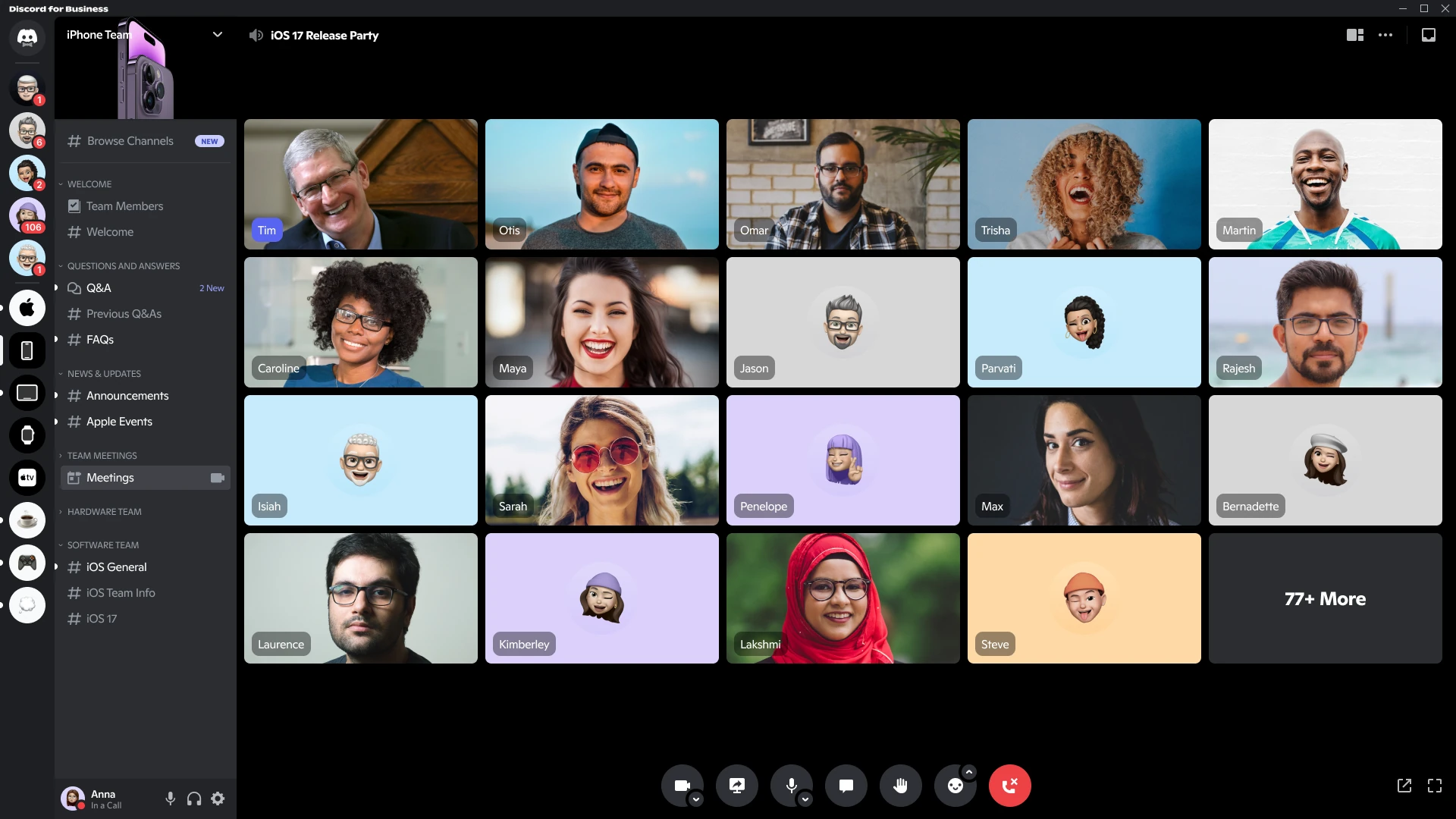
Calls are essential to almost every business. Discord already offers strong video, screen-sharing, and voice capabilities, but I extended the experience with several meeting-focused features:
- Raising your Hand: Video calls have become increasingly important since 2020, but latency and timing can still make participants speak over one another. A raised-hand control gives people a clear way to signal that they want to contribute or ask a question.
- Emoji Reactions: Sometimes people want to acknowledge information or react to something on screen without interrupting or writing a message. I added a compact reaction control that expands into seven commonly used emojis.
- Meeting Chat: Discord normally ties call chat to an existing group or server. Because scheduled meetings would be separate sessions, I designed a dedicated side panel whose conversation belongs only to that meeting.
Calendar
One major benefit I found in Microsoft Teams was its integrated calendar, where I could see every meeting and join directly from the same screen.
I created a similar calendar for Discord while keeping its visual language distinct, using Discord’s familiar embed styling with a blue vertical accent on each event.
Every meeting includes relevant information such as its title, description, creator, duration, and attendance status, whether accepted, declined, or tentative.
I also added a red line to indicate the current time, plus a visual highlight and direct join button for the meeting currently in progress.
I also created a variation of the standard messaging view that notifies the user when a meeting has just started.
Microsoft Teams offers something similar through a pop-up in the lower-right corner that can be clicked to join immediately.
After exploring several alternatives, this placement felt like the best fit for Discord’s existing layout.
Jira Integration
Reliable integrations are essential, especially in larger organizations where Atlassian Jira is commonly used to manage tasks and deliverables.
Rather than inventing a proprietary task-management alternative for this concept, I explored how established tools could integrate directly with Discord.
These integrations would still need to be adapted to Discord’s visual language rather than simply embedding the default Jira interface.
I am very happy with the result. The screen captures the essence of Jira’s Kanban board, including status columns and the important information attached to each task, while still feeling native to Discord.
Logo Exploration
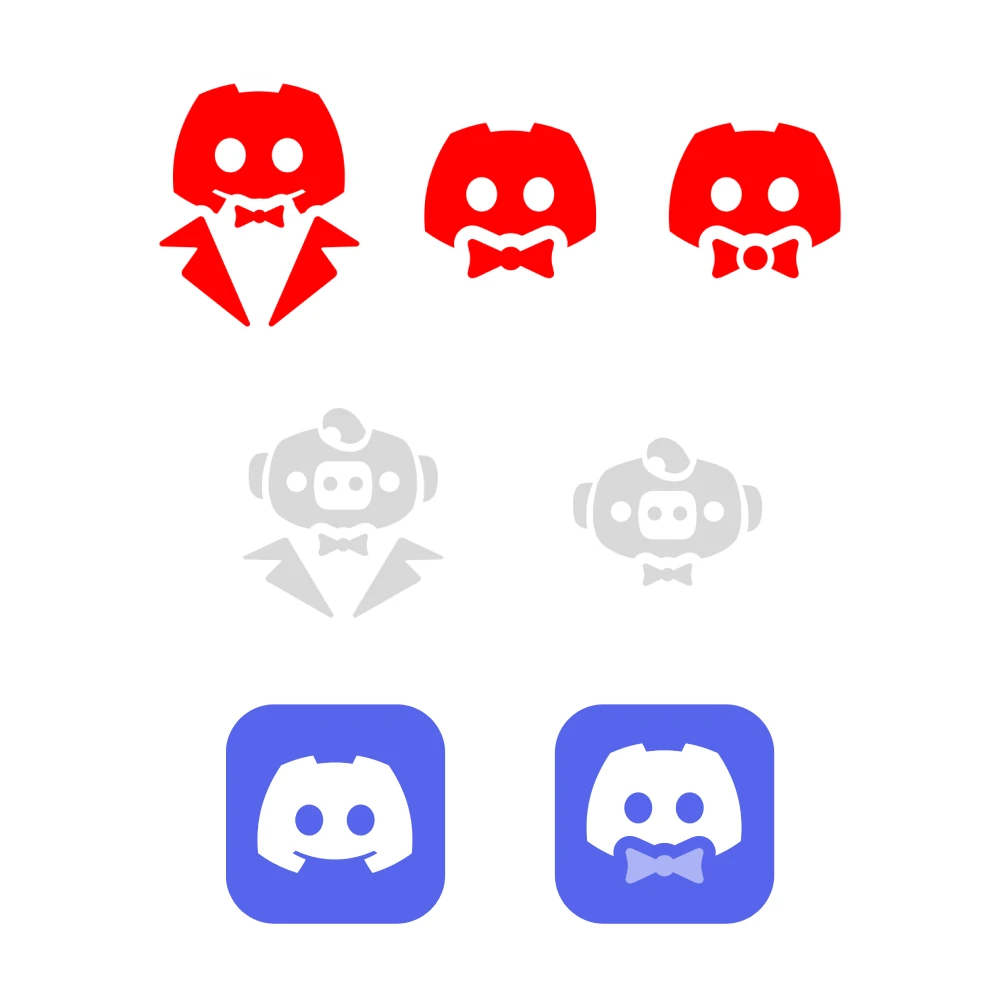
As the final part of the project, I wanted an icon exclusive to Discord for Business, especially because it would appear throughout the concept.
I kept the exploration close to Discord’s existing identity. Variations included a larger mascot wearing a tuxedo and several mascot heads with bow ties. One unfortunate version looked like it was sucking on a pacifier.
After researching Discord’s visual system further, I also explored Wumpus, its pig-like graphical mascot, in several business-themed outfits.
Ultimately, I chose the option closest to Discord’s original icon, enhanced with a charming semi-transparent bow tie.
Conclusion
I am very happy with what I achieved through this exploration.
Studying Discord’s design system was insightful, enjoyable, and challenging, especially when creating custom elements that still needed to feel native.
I also managed to integrate many of the features and tools I relied on every day without disrupting Discord’s distinctive style, which proved more difficult than I initially expected.
Finally, I have to mention the little business-person Wumpus created for the concept. Just look at the cute fella!